
Overview #
The referral program lets you earn credit towards EventWillow by inviting other event organizers to the platform. When someone signs up through your referral link and then pays for a Pro or Enterprise plan, you earn a credit worth one month of the plan they are on. You choose which of your channels the credit lands on.
Open it from Referrals in the admin panel sidebar. The Plan tab of any channel also carries a View Referral Dashboard link to the same page.
Who can take part
Every account on eventschedule.com can refer, including accounts on the Free plan, and there is no cap on how many people you refer. The program runs on eventschedule.com only: a selfhosted install has no subscriptions to refer anyone to, so the Referrals item does not appear in its sidebar.
How It Works #
The Referrals page sums this up in three steps: share your link, they subscribe, you earn your credit. In full, a referral moves through five stages:
- You share your link. Copy it from the top of the Referrals page and send it to another organizer.
- They create an account. The referral is recorded the moment they sign up, with the status Pending. Signing up with an email address and signing up with Google both count.
- They subscribe. When they start a paid Pro or Enterprise subscription on one of their channels, the referral moves to Subscribed and the 30-day clock starts.
- They stay 30 days. Thirty days after they subscribed, if the subscription is still active or in its cancellation grace period, the referral becomes Qualified and the credit is yours. You get an email, and a push notification if you have those switched on.
- You apply the credit. Pick a channel to spend it on and the referral is marked Credited.
What counts as a referral #
- The visitor has to reach EventWillow through your link and sign up in the same browsing session. The code is held only for that session, not in a long-lived cookie, so a visit today and a signup next week will not be linked.
- The first referral link counts. If they followed another organizer’s link earlier in the same session, that organizer gets the referral, not you.
- Each person can be referred once. If someone already has an EventWillow account, or was already referred by another organizer, a new referral is not created for them.
- You cannot refer yourself. A signup that matches your own account is ignored.
- The 30-day clock starts when the subscription starts, and the 7-day free trial counts towards it.
- Statuses are recalculated once a day, so a referral that hits its 30th day shows as Qualified on the next daily run rather than to the minute.
One credit per person referred
A referral produces at most one credit, no matter how many channels the person you referred goes on to run or how long they stay. It also has to still be Pending when they subscribe: if it has already expired (see Referral Statuses), a later subscription will not revive it.
Your Referral Link #
The Your Referral Link panel sits at the top of the Referrals page. Click Copy Link and the button confirms with Copied!, then paste the link into an email, a post or a message.
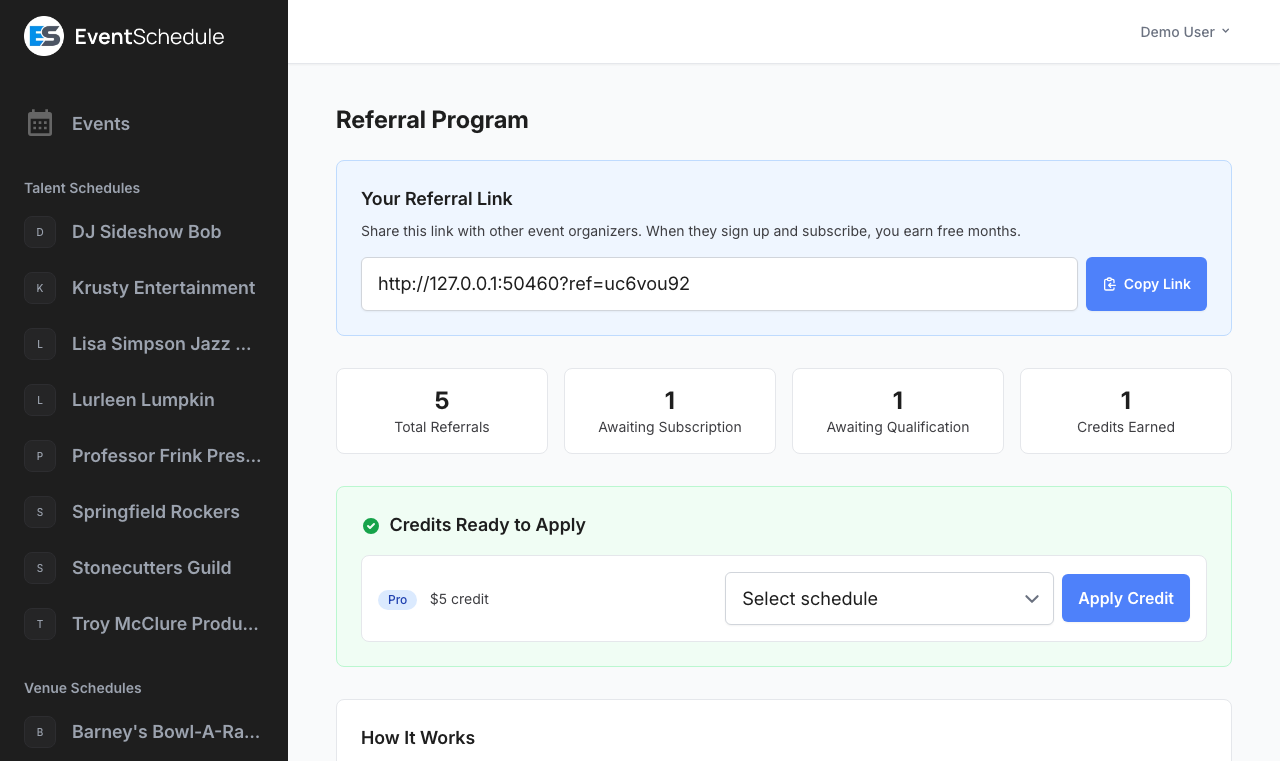
The link is the EventWillow home page with an eight-character code on the end, in the form /?ref=a1b2c3d4. The code is created the first time you open the Referrals page and never changes after that.
You are not limited to the home page. Adding ?ref=yourcode to any EventWillow page works the same way, so you can point people straight at Pricing or at a feature page and still get the credit.
Tip
Share your referral link on social media, in event communities, or directly with organizers you know. Because attribution only lasts for the visit, links that lead somewhere worth reading straight away, such as the pricing page, convert better than a link someone bookmarks for later.
Referral Dashboard #
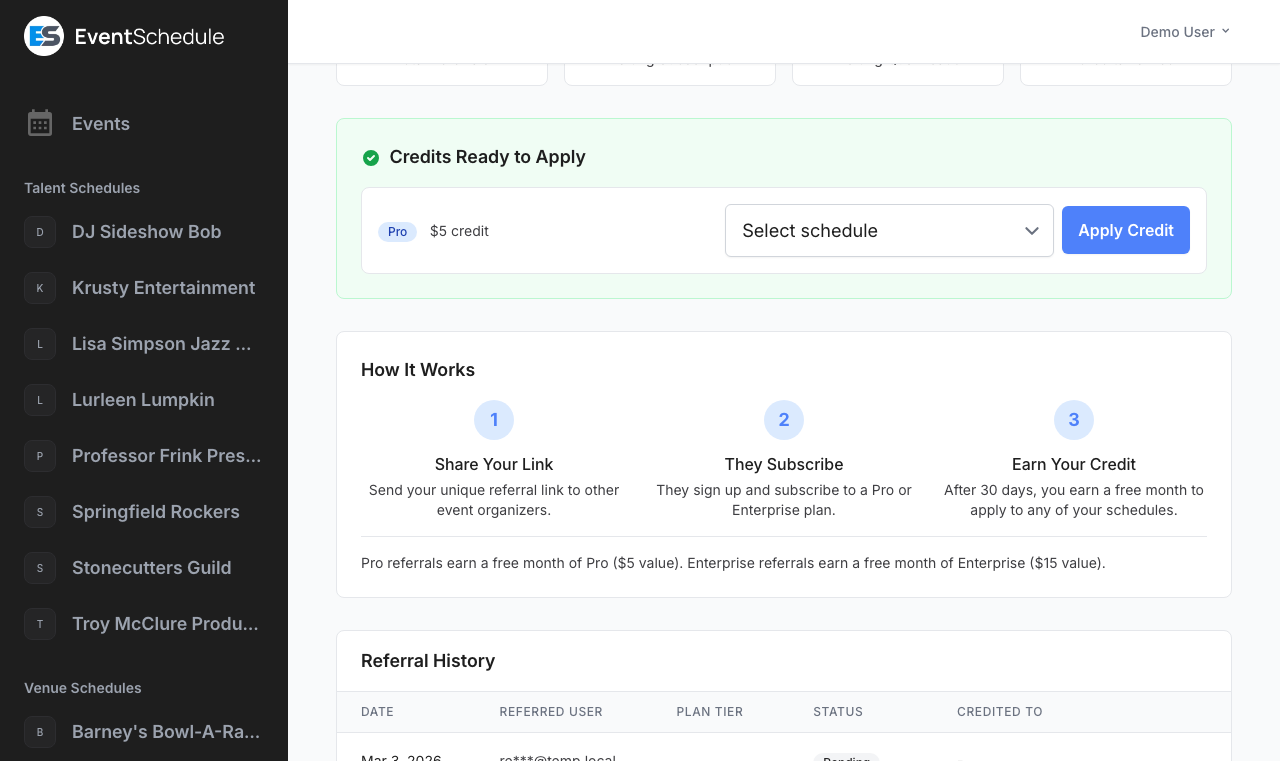
Four summary cards sit under the referral link, one per stage of the funnel:
| Card | What it counts |
|---|---|
| Total Referrals | Everyone who has signed up through your link, at any status |
| Awaiting Subscription | Referrals still at Pending: the account exists but has not paid for a plan yet |
| Awaiting Qualification | Referrals at Subscribed: they are paying and part way through the 30 days |
| Credits Earned | Credits you have already applied to a channel. Credits that are earned but not yet spent are not counted here, they are listed below in Credits Ready to Apply |
Rewards #
A credit is worth one month of the plan the person you referred is on, at the standard monthly price:
| Their plan when the referral qualifies | Credit you earn |
|---|---|
| Pro | $5, one month of Pro |
| Enterprise | $15, one month of Enterprise |
The tier is read on day 30, not on day 1
The credit follows whichever plan their subscription is on at the moment it qualifies. Someone who starts on Pro and moves up to Enterprise inside the first 30 days earns you the $15 Enterprise credit, and the history table updates to match. The amounts are fixed at $5 and $15 whether they pay monthly or yearly.
Applying Credits #
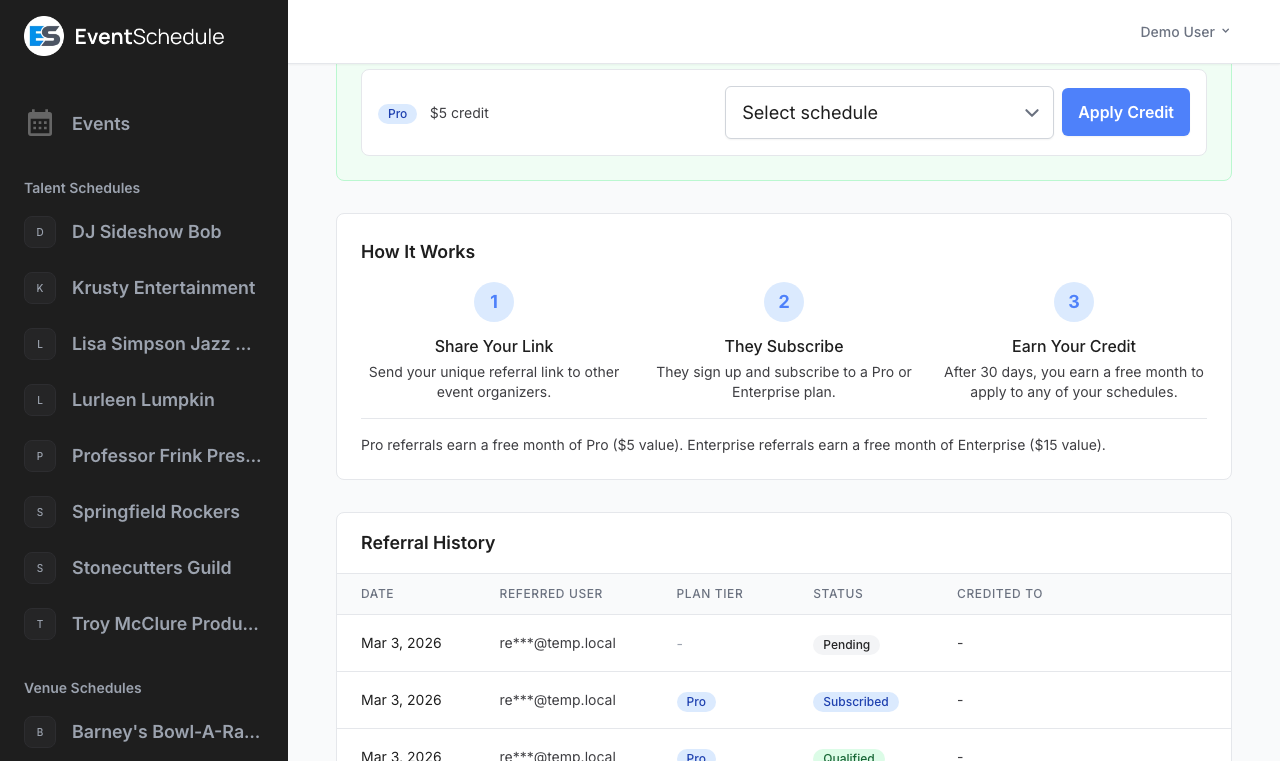
Once a referral qualifies, it appears in the green Credits Ready to Apply panel on the Referrals page. The panel is only there while you have at least one unspent credit.
- Open Referrals in the admin panel sidebar
- Find the credit in Credits Ready to Apply. Each one shows its tier and value, such as Pro $5 credit
- Choose a channel from the Select channel dropdown. Only channels you own are listed, not ones where you were added as a team member
- Click Apply Credit
What applying a credit does #
What happens next depends on whether the channel you picked is already paying:
| Channel you apply it to | What the credit does |
|---|---|
| Has an active subscription | The $5 or $15 goes on the channel’s billing balance and comes off its next invoice automatically. Your plan and renewal date are untouched, and a credit larger than the invoice carries over to the one after |
| Has no active subscription | The channel is moved onto the credit’s tier for 30 days. If it already had time left on a plan, the 30 days are added to the end of it rather than replacing it |
Tip
Applying a credit is final: it is spent on the channel you choose and cannot be split across channels or moved afterwards. To try a paid tier on a channel that is not paying yet, spend the credit there, since that is the case where it buys 30 days of the plan outright rather than $5 or $15 off a bill.
Earned plans are unbranded
A month of Pro or Enterprise you earned through a referral counts as a plan you earned, not one handed to you, so it takes the EventWillow credit chip off your public pages like a plan you pay for, rather than keeping it the way an admin-granted plan does.
Referral Statuses #
Every referral carries one of five statuses, shown as a coloured badge in the history table:
| Status | Meaning |
|---|---|
| Pending | They have created an account through your link but have not paid for a plan yet. No tier is shown while a referral is at this stage |
| Subscribed | They have started a paid Pro or Enterprise subscription and the 30-day qualifying period is running |
| Qualified | They were still subscribed 30 days later, so the credit is yours and is waiting in Credits Ready to Apply |
| Credited | You have spent the credit, and the channel it went to is named in the Credited To column |
| Expired | The referral can no longer earn anything. This happens two ways: their subscription ended before the 30 days were up, or they never subscribed at all and 90 days have passed since they signed up. Cancelling alone does not expire it: a cancelled subscription still counts until its paid time runs out |
Statuses move once a day
A daily job promotes referrals to Qualified and expires the ones that have run out of time, so a status can be up to a day behind what happened on the account. A credit that has already reached Qualified stays yours to spend even if the person you referred cancels later.
Referral History #
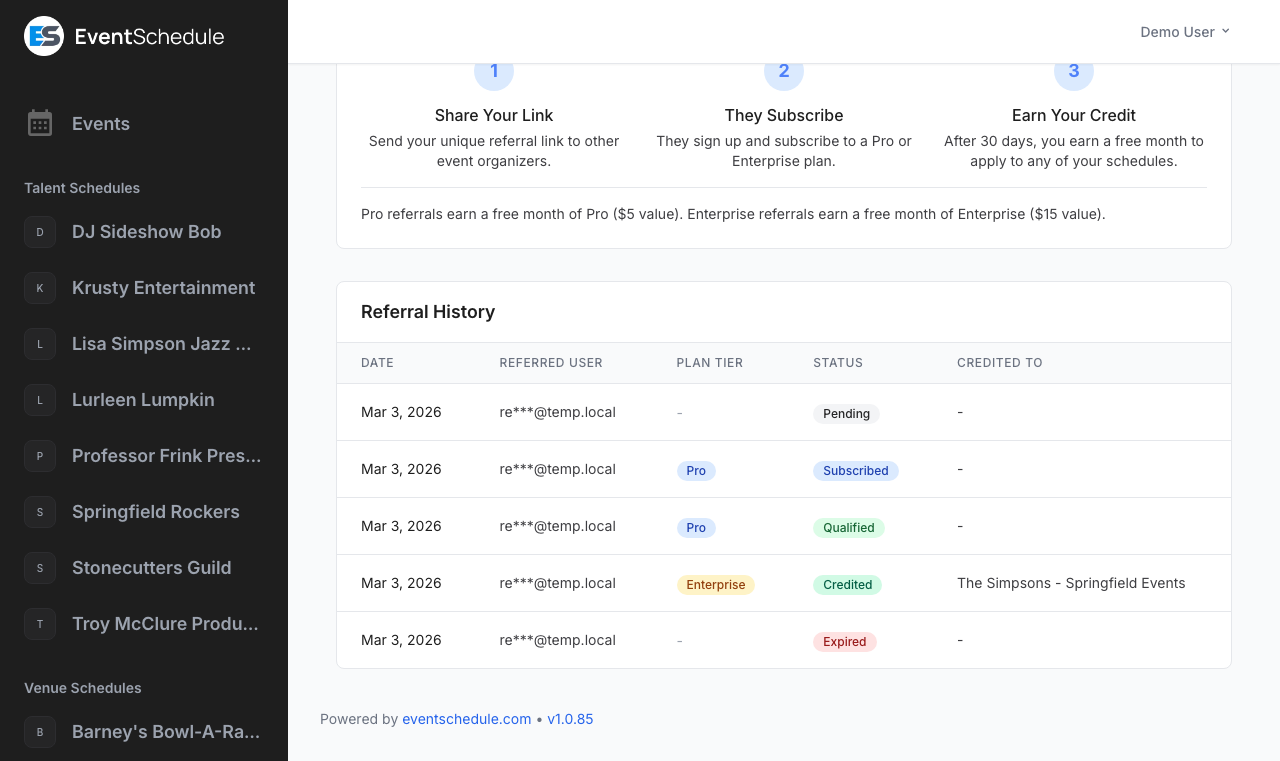
The Referral History table at the bottom of the page lists every referral you have made. It appears once you have at least one.
| Column | Description |
|---|---|
| Date | When they signed up through your link. Click the heading to sort, newest first by default |
| Referred User | Their email address, partly masked, in the form li***@example.com. You never see a referred organizer’s full address or name |
| Plan Tier | Pro or Enterprise, shown once they subscribe. A dash means the referral is still Pending or expired without one |
| Status | The current status (see Referral Statuses above). This heading is sortable too |
| Credited To | The channel you applied the credit to, or a dash if it has not been applied |
The table shows 20 referrals per page, with paging links underneath once you pass that.
Adapted from the Event Schedule user guide. Upstream screenshots are included for reference. Original guide